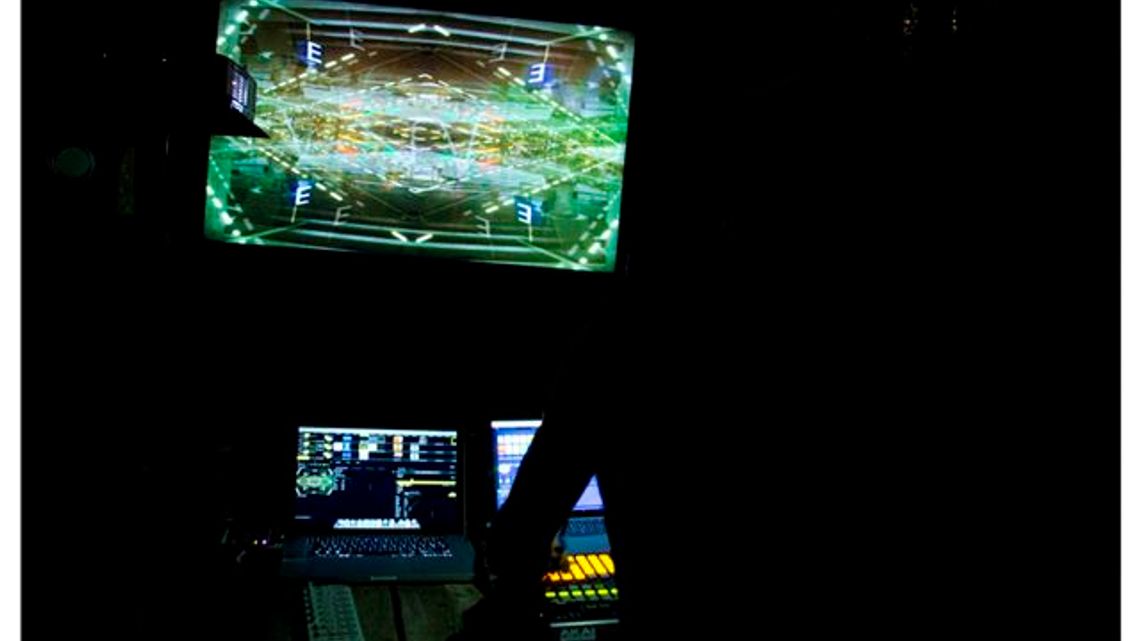
The performance is always improvised using digitalized media and at times live input feedback, the specific hardware and software are relative to the specific point in time of a continuous evolution, here the current set up is described.
Sound:
On one dedicated Macbook pro computer a set of clips are loaded on Ableton Live and selected intuitively by the performer, the clips are organised in groups divided by morphology, nature of the sounds (how the sounds are originated), frequency content, rhythmical characteristics, colour and texture. Generally every single clip can be combined with every other to allow the greater amount of composition possibilities.
Within Ableton Live DSP processing is used to add variables and create new effects in real time, there are three section of DSP processing accessed though send A, B , and C, the effects in A are: Filter Delay and Gates, in B: Aliasing filter and a wave shaper distortion , in C: Two beat repeats.
Clips and effects during the performance are used in a manner to obtain a synergy between the sound and the visuals when played simultaneously, the performance is not scripted and proceed by free associations, all audio parameters are accessed using an AKAI APC40 midi controller.
Ableton Live provide also MIDI clock to the video playback software and a separated audio signal feed used to drive some of the video playback parameters in real time.
Live Input Feedback:
At times a sound input signal taken directly from the stage is used to add another aleatory layer to the live performance. The set up involve a microphone placed in the performance space which feeds a pre-amp, the signal is then sent to a DSP processor which includes a graphic equalizer, a dynamic processor, a distortion waveshaper and a digital delay, the output is then routed through the master section directly to the stage PA. The chain of DSP processing just described allow the performer to shift the frequency spectrum of the feedback loop (Larsen effect) and effectively explore the resonances of the space creating a controlled low frequency drone responsive to the performance environment.
Video:
On one dedicated Macbook pro computer video is dealt within Resolume, which provide an easy and simple interface to select and playback pre-recorded video-clips. Within Resolume the video-clip are organised in groups divided by content morphology, colour, speed textures, stroboscopic or linearity, the video clips are loops that can be selected and recombined in a similar manner of tape loops.
The clips are selected matched and overlaid on the fly to obtain a synergy with the sound as the performance proceed, some parameter are automated through MIDI clock the audio signal feed from the audio software however the performance progress in not scripted manner and proceeds intuitively by free and synesthetic associations.